
 CadiFamilyFamily planner
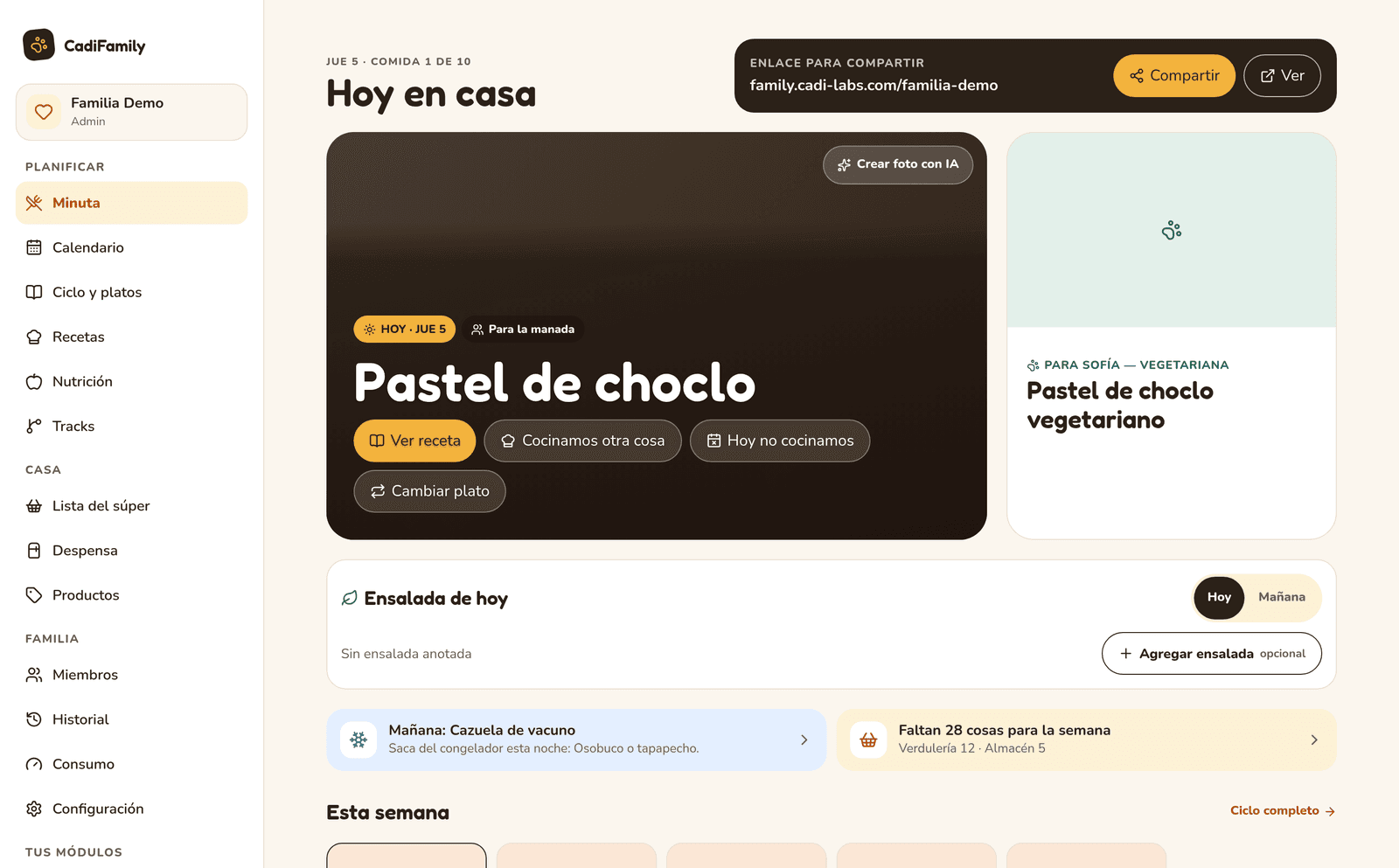
The week's meals, sorted as a family.
CadiFamily turns your household's recipes into a weekly menu on the days you cook, adapts it for anyone who eats differently and builds the supermarket list for you.
- Invite-only beta
- Installs on Android and iPhone
- Works offline
How it works
Three steps and the week is sorted.
Plan once; CadiFamily repeats the cycle, handles the shopping and tells whoever cooks what's next.
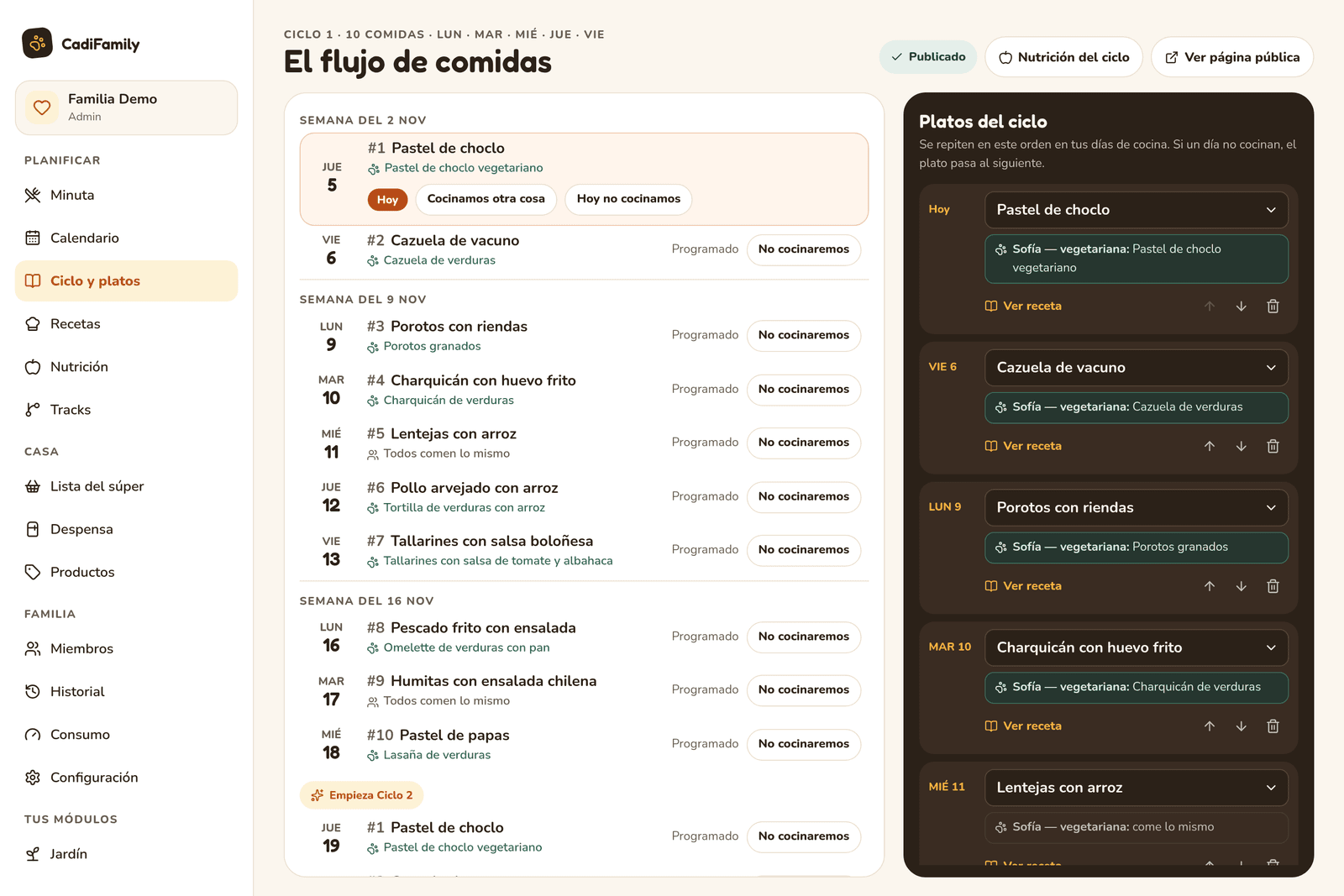
Build your menu
Pick the dishes in the cycle and the days you cook. CadiFamily spreads them out and shows what's on today.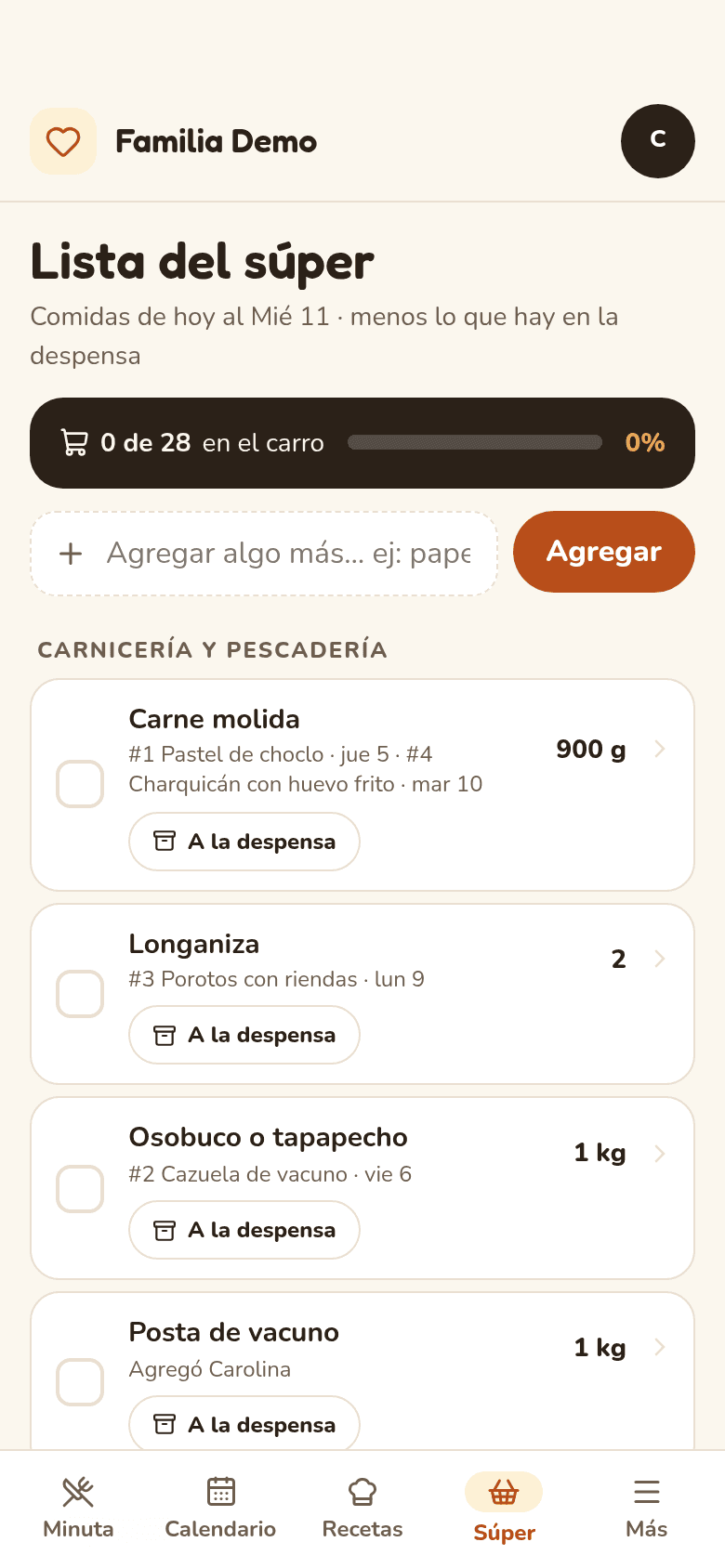
The list writes itself
The week's ingredients are grouped by aisle, and what you already have in the pantry is set aside.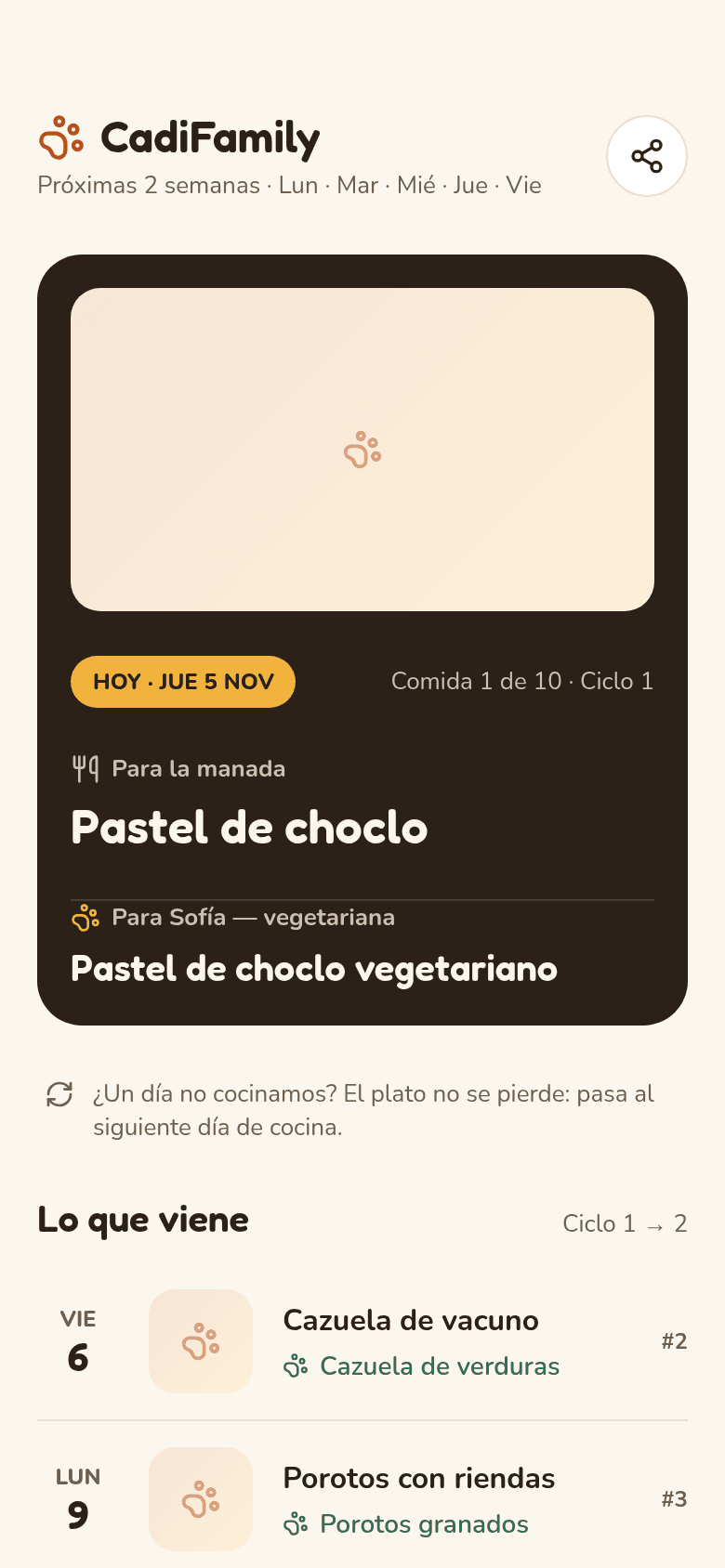
Share it with a link
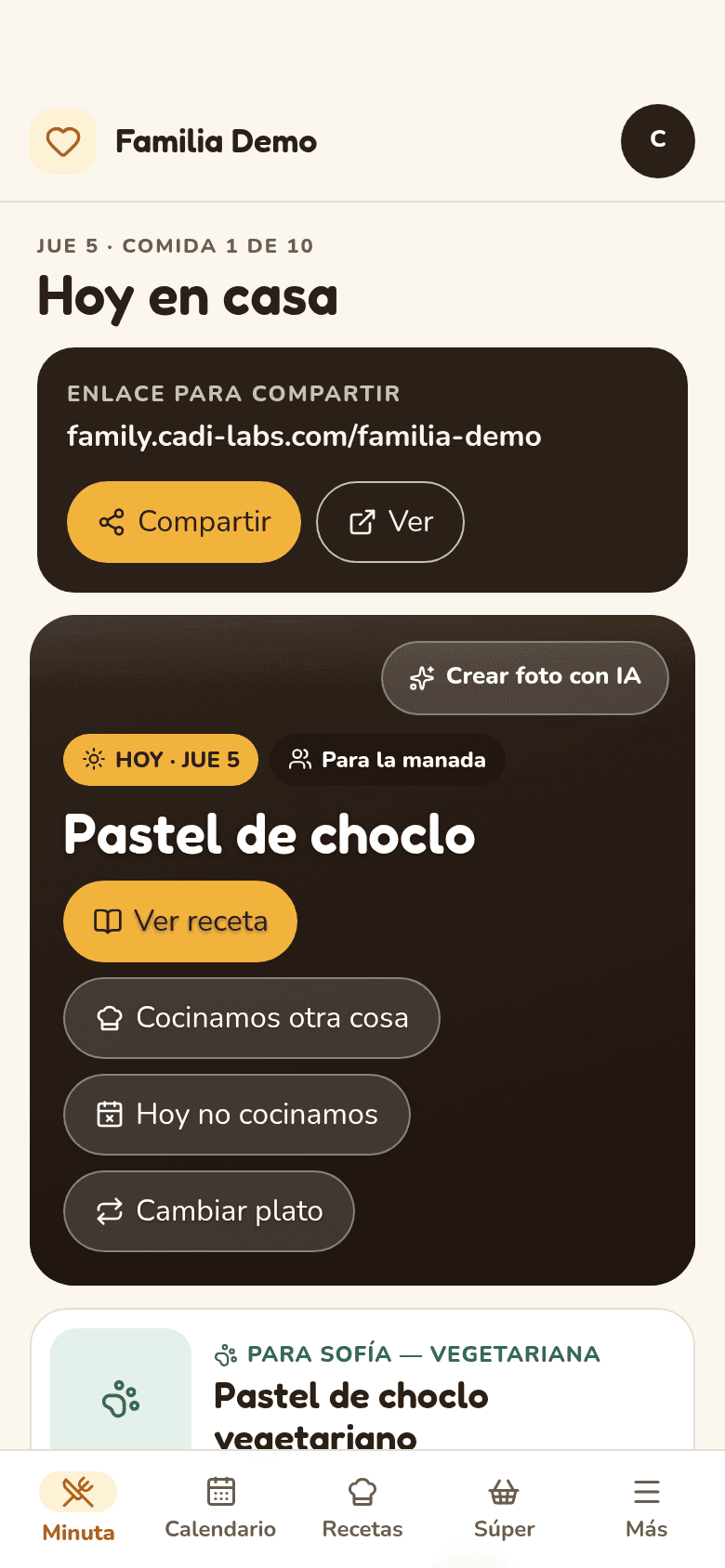
Your public menu shows today's dish and the next few days to family or the nanny — no account needed.
For the whole family
One menu, even when not everyone eats the same.
Branches adapt the day's dish for anyone with a different diet, an allergy or smaller appetites — without a second plan.
- DietsVegetarian, gluten-free or whatever each person needs.
- AllergiesThe variant is cooked on the same day as the main dish.
- The little onesA simpler version for the youngest at home.
What else it does
Less time deciding what to eat, more time at the table.
Everything a household needs to plan, shop and cook the week, shared with whoever helps at home.
Recipe book
Import recipes from a link or from photos and keep the whole family's book in one place.Shopping list
Built from the menu, grouped by aisle, and skips what is already in your pantry.Family calendar
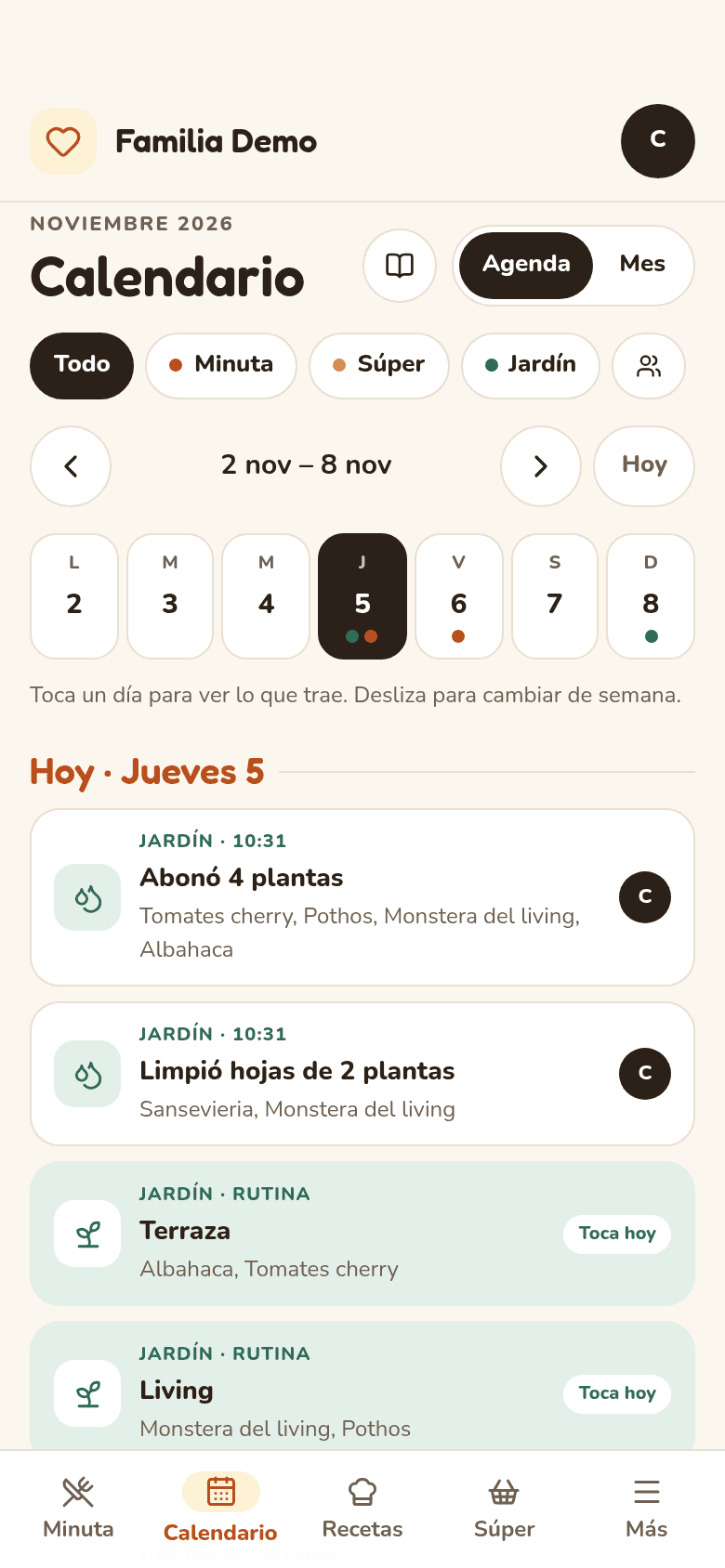
Meals, shopping and household routines in one agenda.AI assistant
Ask for recipes or meal ideas from a photo, within limits set per family.Works offline
Installs on your Android or iPhone home screen and keeps working without signal.Several families, with roles
Belong to more than one household and decide who can edit and who can only view.
Garden
Plants are family too.
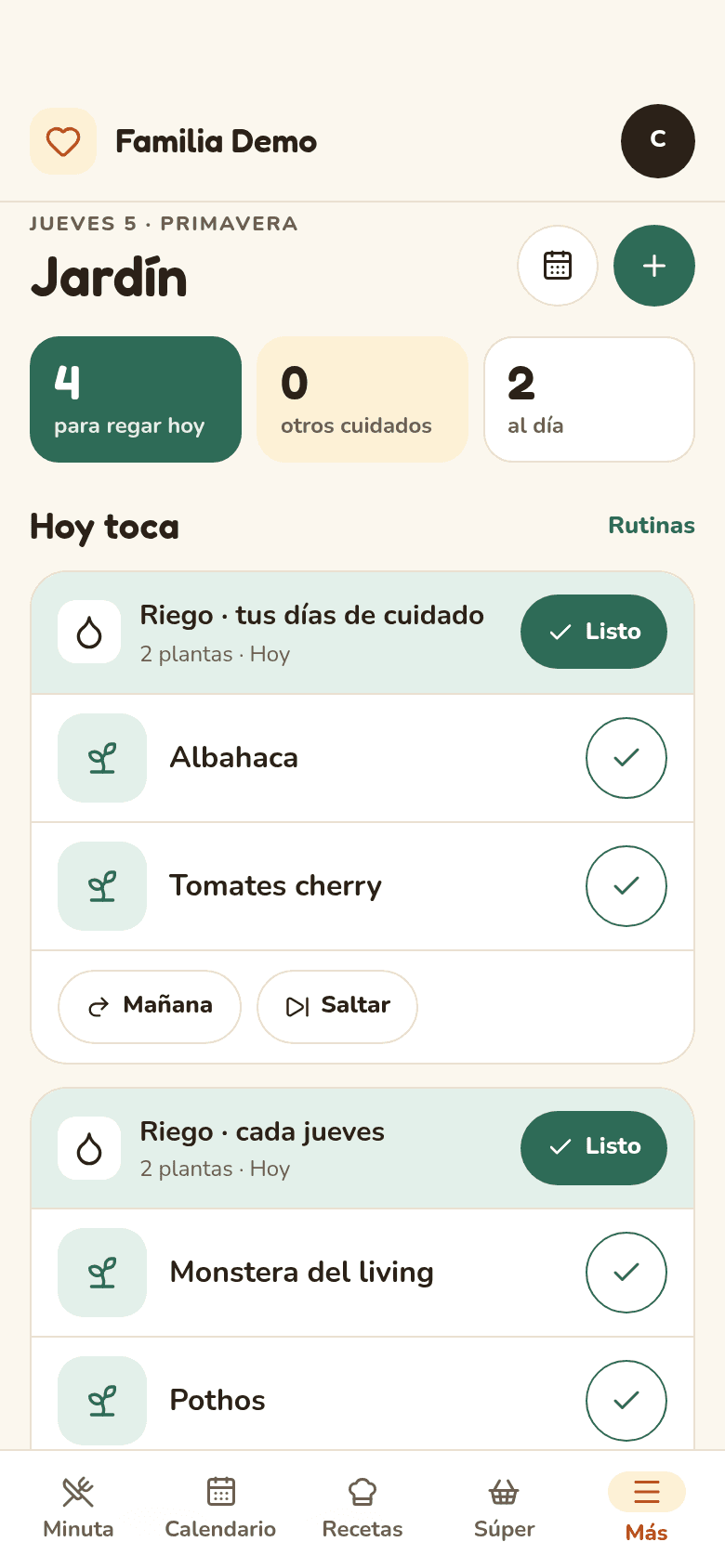
Identify plants from a photo, follow watering and feeding routines, and get a nudge on the day it's due.
- Identify plants from a photo
- Watering and feeding routines
- Reminders in “Today at home” and the calendar
Good to know
Your family's kitchen stays your family's.
Each family's data is kept apart from every other family's. The details are in the app's privacy policy.
Read the privacy policy- Access
- Closed, invite-only beta
- Your data
- Isolated per family
- Ads
- Non-personalized ads may appear
- AI
- Optional assistant with per-family limits
Guides
Related guides
Practical guides on the problems CadiFamily helps with.
CadiFamily9 min read CadiFamily10 min read A container vegetable garden: what to plant in spring and summer in Chile
How to start a vegetable garden on a balcony, terrace or small patio in Chile between November and February, which crops to grow, which pots to use and how to water in the heat.Read guideCadiFamily9 min read AI at home: what it is actually good for and where it still fails
Real uses of AI at home: recipe ideas, identifying plants from a photo and organizing the week. Where it fails, how to check it and what to keep private.Read guide
Ready to stop asking “what's for dinner?”
CadiFamily is in a closed beta. Request access and we'll let you know when there's a spot for your family.